
What can be better than Artificial Intelligence? Magic.
Magic Blocks is a WordPress plugin that lets you point and click at any HTML element of any page in the Web, and get it as a Guttenberg block a minute later. No programing, no configuring, no styling.
1
Select you design
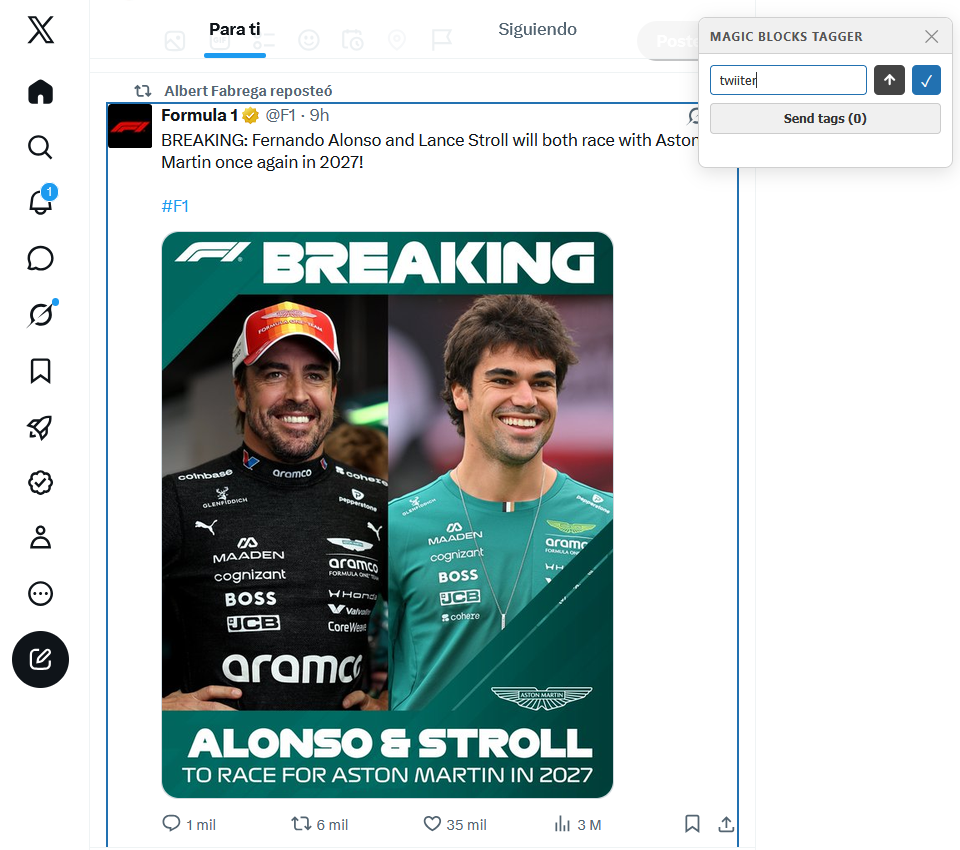
With the Magic Blocks Tagger browser extension, that works both for Chrome and Firefox, select the HTML element you want to incorporate to your WordPress site as a Gutenberg Block, and name it.
2
Import to your WordPress
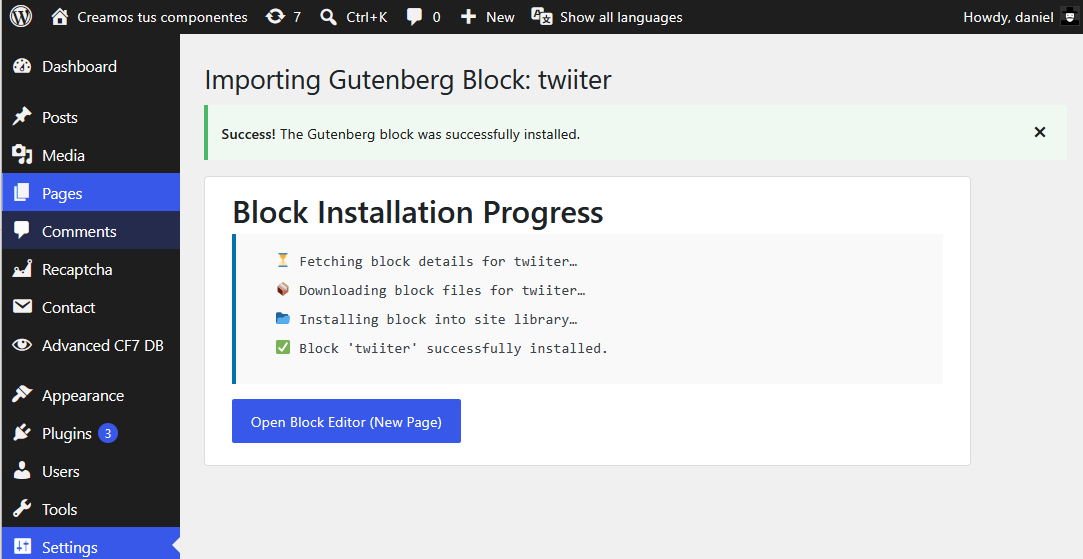
With a click you make Magic Blocks calculate the CSS and generate a functional and configurable block that can be incorporated to any post or page of your WordPress website.
3
Start using your block
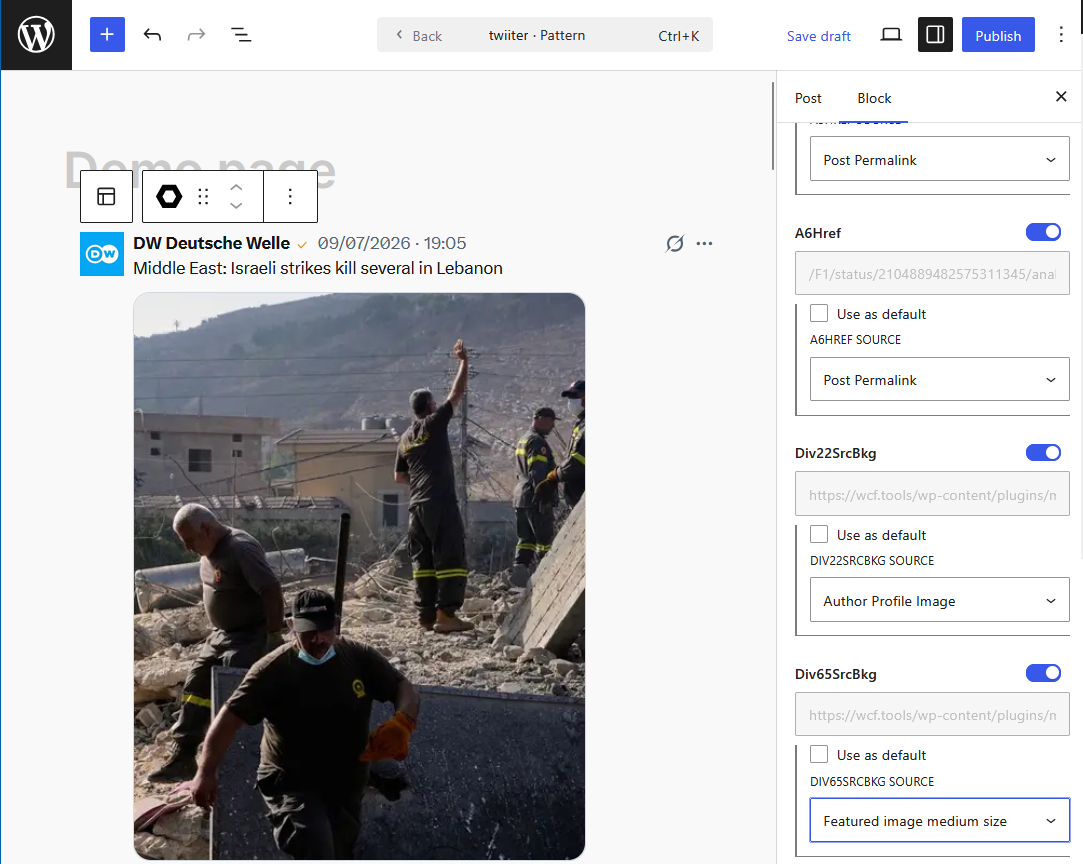
Select your block as any other Gutenber block, and configure the text, images and links, typing it or selecting from post content.
Get access to Magic Blocks documentation
Leave a Reply